Your Smart Access, Seamlessly
Salto KS Keychain
1. Download the app
Download the Salto KS Keychain app from the App Store (iOS) or Google Play Store (Android).
2. Complete your Salto Account
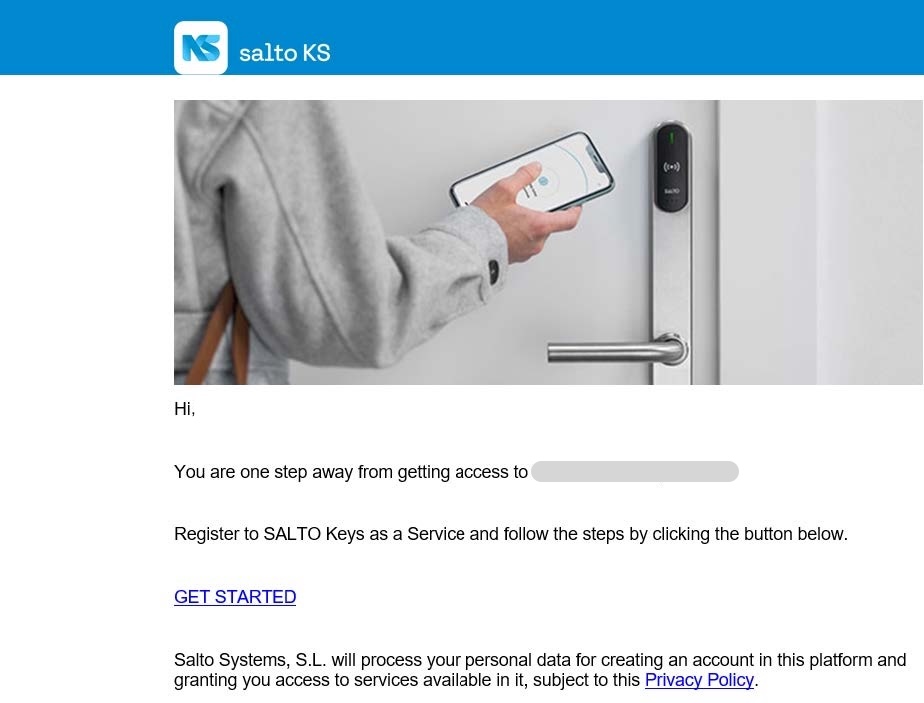
Use the invitation link (sent to your email) to create your Salto account.
Click on “GET STARTED”.
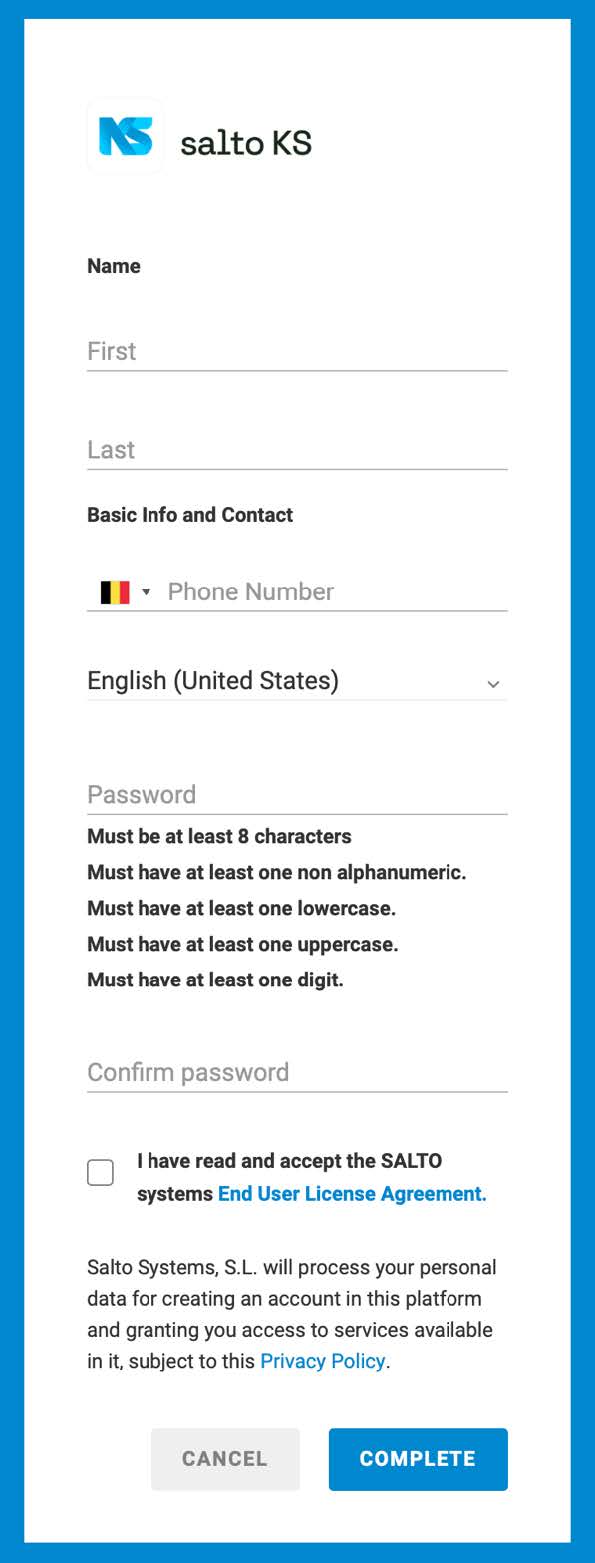
Fill in and complete your information.
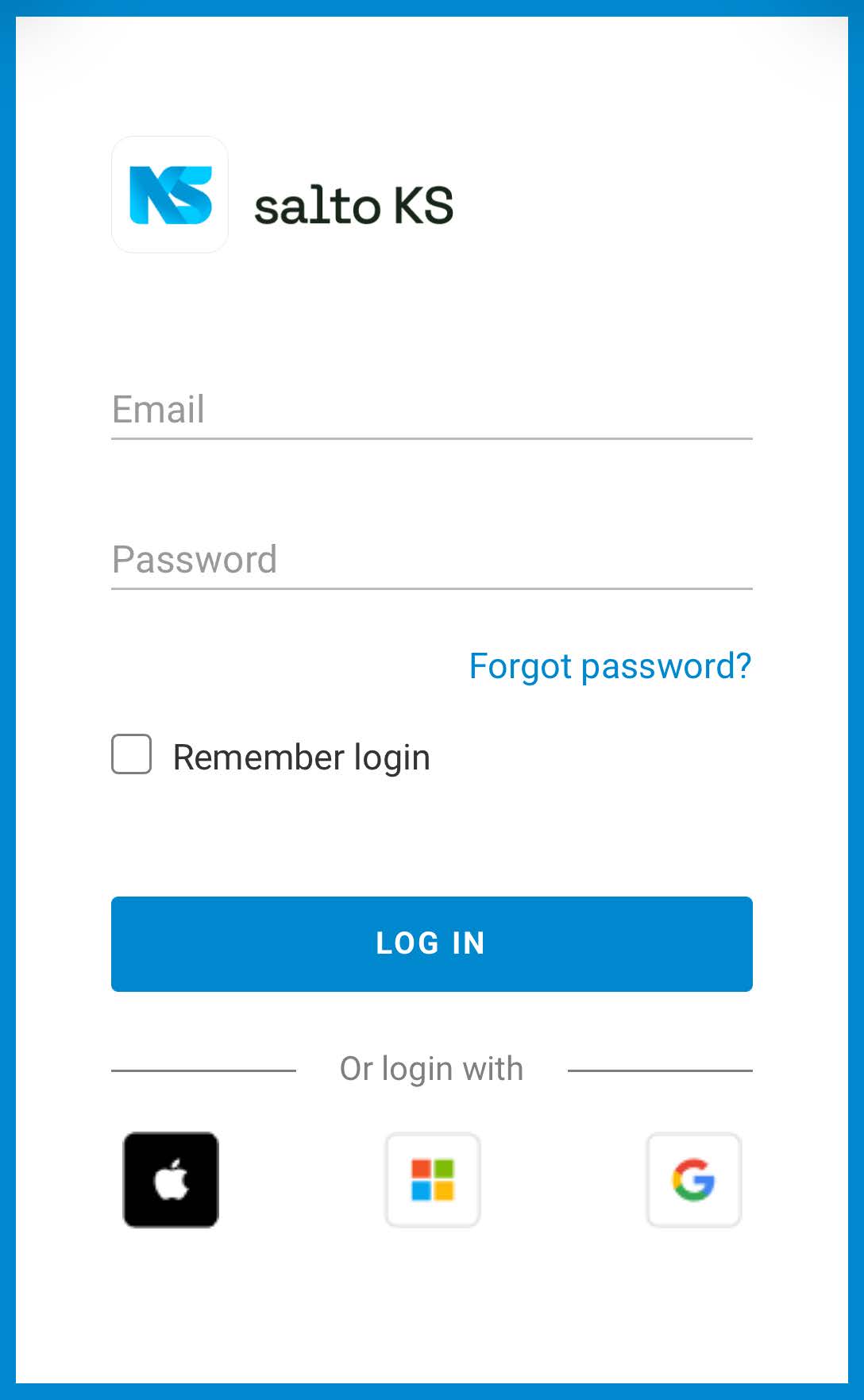
After completing the form, you will be registered and redirected to the login page of Salto KS.
Do not sign in here
3. Sign in to KS Keychain
Navigate to the app downloaded in Step 1 – KS Keychain.
Accept the cookie policy and press “continue”.
Login with your credentials created in Step 2.
Allow the app to use Bluetooth
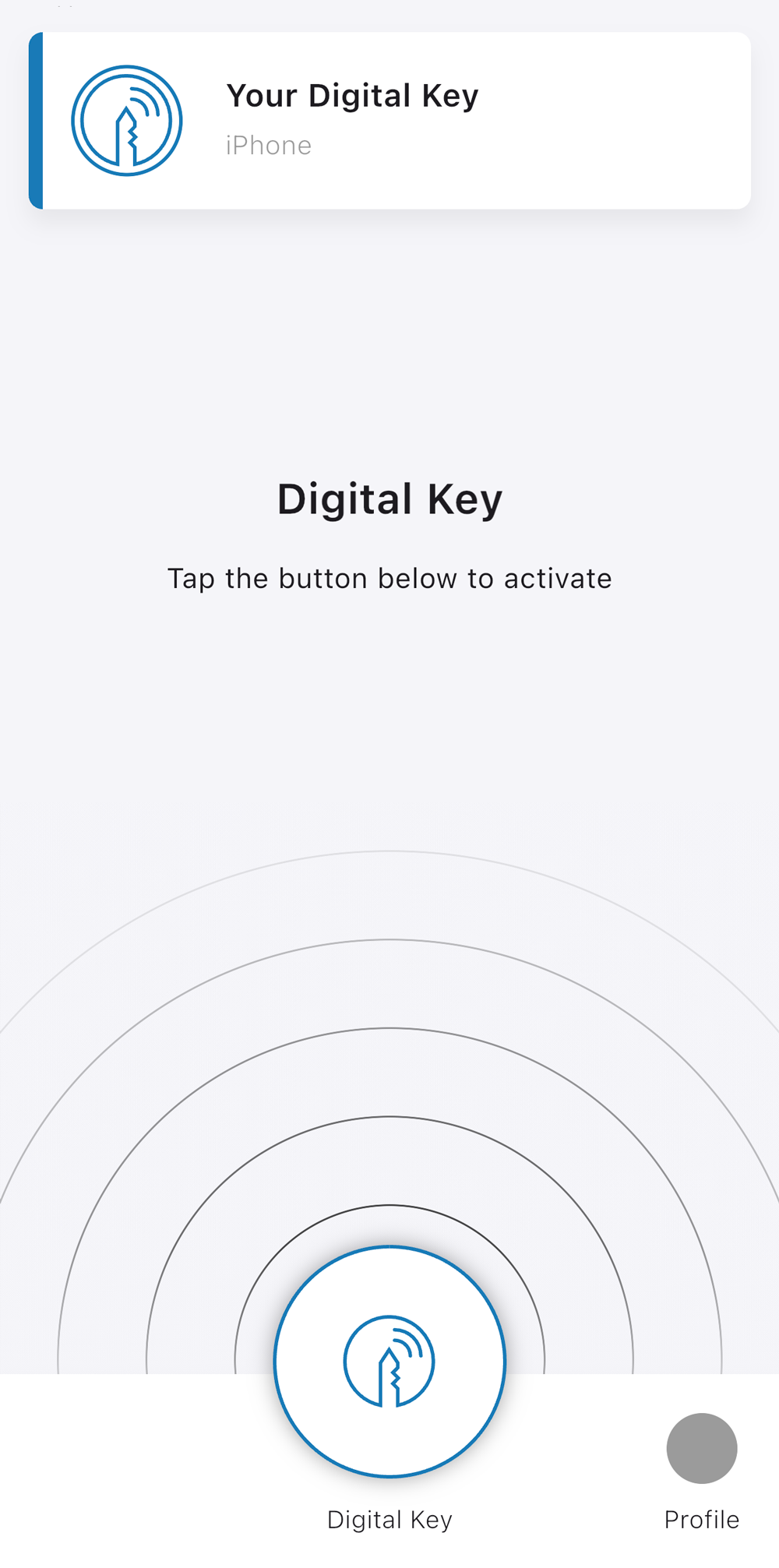
You can now press the Digital Key Button and hold your phone against a lock to gain access.
If your first attempt generates an error, try closing the app completely and try again.
4. Tips & best practices
- Keep Bluetooth and internet enabled on your phone.
- Use your PIN code if your phone battery runs low.
- Do not share your PIN code or app login with others.
- Report lost devices, keycards and fobs immediately to your property manager.
4. Troubleshooting
- Invitation link expired? Contact your property manager to request a new link.
- Door won’t open with the app? Check Bluetooth permissions and internet.
- PIN code not working? Double-check the digits. Codes may be time-limited.
- App not showing your key? Log out and back in. Contact our support if unresolved.
Are you a property manager?
Looking to make things easier for your tenants? We’ve prepared a ready-to-print PDF that includes a QR code linking to our global support page. Simply download, print, and place it in your property. Your tenants will have instant access to the information they need.